DVD Conversions

Giving analogue formats life in a digital world

DVD Conversions Limited t/a Kodak Express Botany

Giving Analogue Formats Life In A Digital World

Contact and Location

Available 7 days : 022 600 4694

Quick Email: dion@nulldvdconversions.co.nz

Quick Links

  • About
  • Film Conversion to Digital File
  • Pro Video to Digital
  • Video to Digital
  • Audio Transfers
  • Cassette Repair Service
  • Format ID
  • Film samples
  • Photos to Digital files
  • Data Recovery

Upscale Video

Upscale Standard definition video to high definition

To upscale or not?

Experience has shown that the better the content to begin with, the better the end result. We’ve seen extraordinary results using a combination of real time hardware-based upscaling techniques used in conjunction with AI tools. The more information the AI systems have to work with, the better the result.

Hardware upscaling as the name suggests is the use of sophisticated pieces of hardware to convert and upscale video content in real time.

Teranex

The process is all digital and starts with the conversion of the analogue video signals to a serial digital signal (SDI). Thereafter the SDI signal is routed through various pieces of hardware for scaling, frame rate conversion, format conversion and recording.

Bad Waveform

Waveform monitors and vector scopes ensure that accepted industry standards are met prior to being digitized.

Why “fix it in post” when it can be done right the first time.

SD video has an aspect ratio of 4:3 whilst HD content is generally 16:9 – the rescaling process will resize the video within the frame. SD 4:3 content will be centered in the frame with black bars down each side. Pictured is a 4:3 image in a 16:9 frame. If the original content is 16:9 or anamorphic it can be extended to fill the frame.

Relative size of the video formats

This picture shows the relative sizes of the video formats.

  • SD Video – 720 x 576 – Green
  • HD 720 – 1280 x 720 – Blue
  • FHD 1920 x 1080 – Light Green

Progressive vs Interlaced

Another advantage to upscaling is that the image is automatically deinterlaced, meaning that interlaced formats such as PAL 576i are converted to a progressive format and the lines associated with interlaced formats are removed.
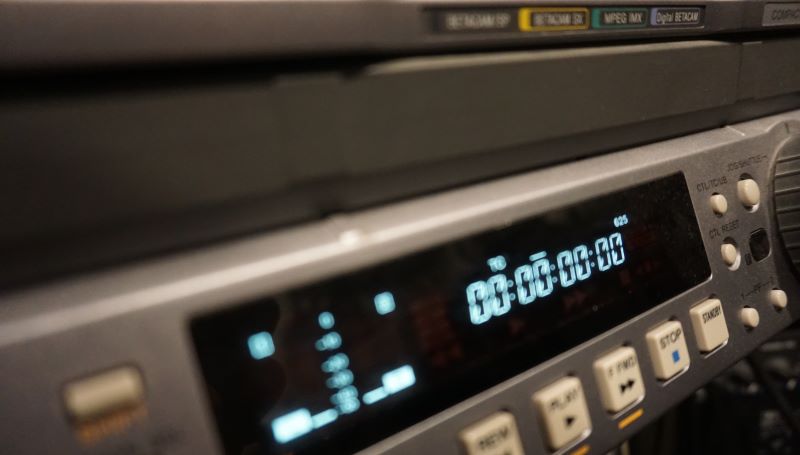
High resolution digital formats tend to scale up really well. Formats such as DVCAM, DVCPRO and Digital Betacam (Digi Beta) work really well when scaled up to either 720p or 1080p.

Sony DSR1500AP DVCAM Deck

DV formats are converted from native firewire (IEEE1394) to SDI and then scaled.
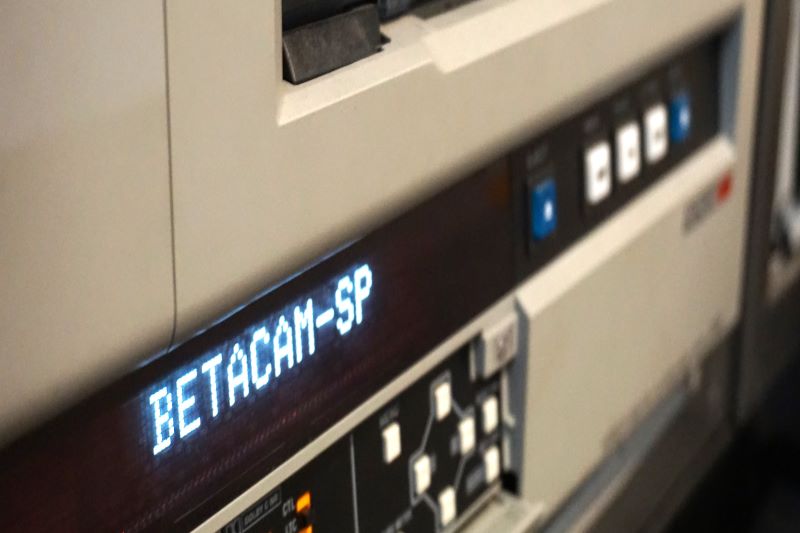
For analogue formats such a Betacam SP, Umatic and SVHS, we use a range of analogue to SDI converters to ensure any potential losses are kept to an absolute minimum.

Audio signals are embedded at source and level adjustments are made if required.

Recording of the video signals is done with industry standard standalone hard disk recorders.

Our upscaling service can upscale almost any SD video (PAL 50 or NTSC 60) format to the following HD formats.

  • 720p50 (1280 x 720 – 50p)
  • 1080p50 (1920 x 1080 – 50p)

File output options

  • MP4
  • Uncompressed MOV 10 bit or 8 bit
  • DnxHD
  • ProRes 422

External storage is required for larger file types. We can supply hard drives to suit, or you are welcome to supply your own.

We offer a range of hard drives for various applications.

  • SATA SSD drives for use as an internal hard drive or with a SATA dock.
  • USB C external drives – SSD in encolsures

For more information on our upscaling service please contact us.

Video Calibration Equipment

Video calibration equipment – is it necessary to ensure a good result? Absolutely Yes!

This is possibly your last chance to get your video tapes transferred to digital files before the playback equipment becomes obsolete, so why not do it properly. The number of machines available to play video tapes is finite – they’re soon going to be relegated to the pages of history.

Test and calibration equipment in a professional video transfer facility is a minimum requirement, and it ensures that the video signals are correctly calibrated prior to digitizing. Having the equipment is one thing, knowing how to interpret the information and make the required adjustments is another. Most professional transfer houses (such as ours) have experienced electronic engineers that have decades of experience in industrial and broadcast television. Generally speaking – this is all we do; we don’t cut keys or change garage door remote batteries while transferring video tapes in a back room. We pride ourselves on the service we can offer, and we do it well.

Bad Waveform

A video signal that has not been conditioned or correctly calibrated typically looks something like this. The edges of the signal are not sharp and crisp and are not within technical specs. A well-defined and correctly calibrated signal ensures best results.

A correctly calibrated signal looks something like this, sharp edges and a well defined electronic signal within strict technical parameters. The only way it gets to look like this is when it is processed with professional grade video calibration equipment.

Good waveform
Good Vector

Calibration and balance of chroma levels are within certain parameters and don’t exceed legal limits.

An engineering video monitor allows the engineer to perform minor adjustments to a VCR’s tape path to make up for recordings made on older equipment or equipment that was slightly out of specification when the tape was recorded. It’s also a critical piece of equipment when recalibrating and servicing VCR’s.

Cross pulse monitor

Why is this important – a very common saying in film and TV “we’ll fix it in post”. In some cases, this is not possible. A stable and correctly calibrated video signal ensures that the digitizing process runs smoothly, correct color, brightness, video and black levels mean that the signal is as good as it can be at the point of digitizing and any postproduction work will only make it better, not fixing problems associated with a bad capture session.

There’s a reason why a professional transfer house charges a bit more. Converting video to digital files is not a set and forget operation, it requires constant monitoring and minor adjustments during the capture process, that takes time and a considerable investment in test and calibration equipment, not to mention many years of experience.

Price is always a factor in any transaction, however, when the local corner shop is quoting as low as $30 per 3 hour tape – do the math.

$30 per tape for a 3 hour tape including GST equates to less than $10 per hour. Considering minimum wage in New Zealand is well over $24, ask yourself – “is my video tape getting the best attention” or is it in a set and forget environment and is left in a back room to sort itself out. It’s definitely not getting the attention it deserves. The operator in this case is charging a third of minimum wage to do the work, and at those rates your tapes are probably not a priority.

You have 1 chance to do it – do it right – use a professional – be it us, or any other professional transfer facility. Would you trust your priceless memories to anyone else?

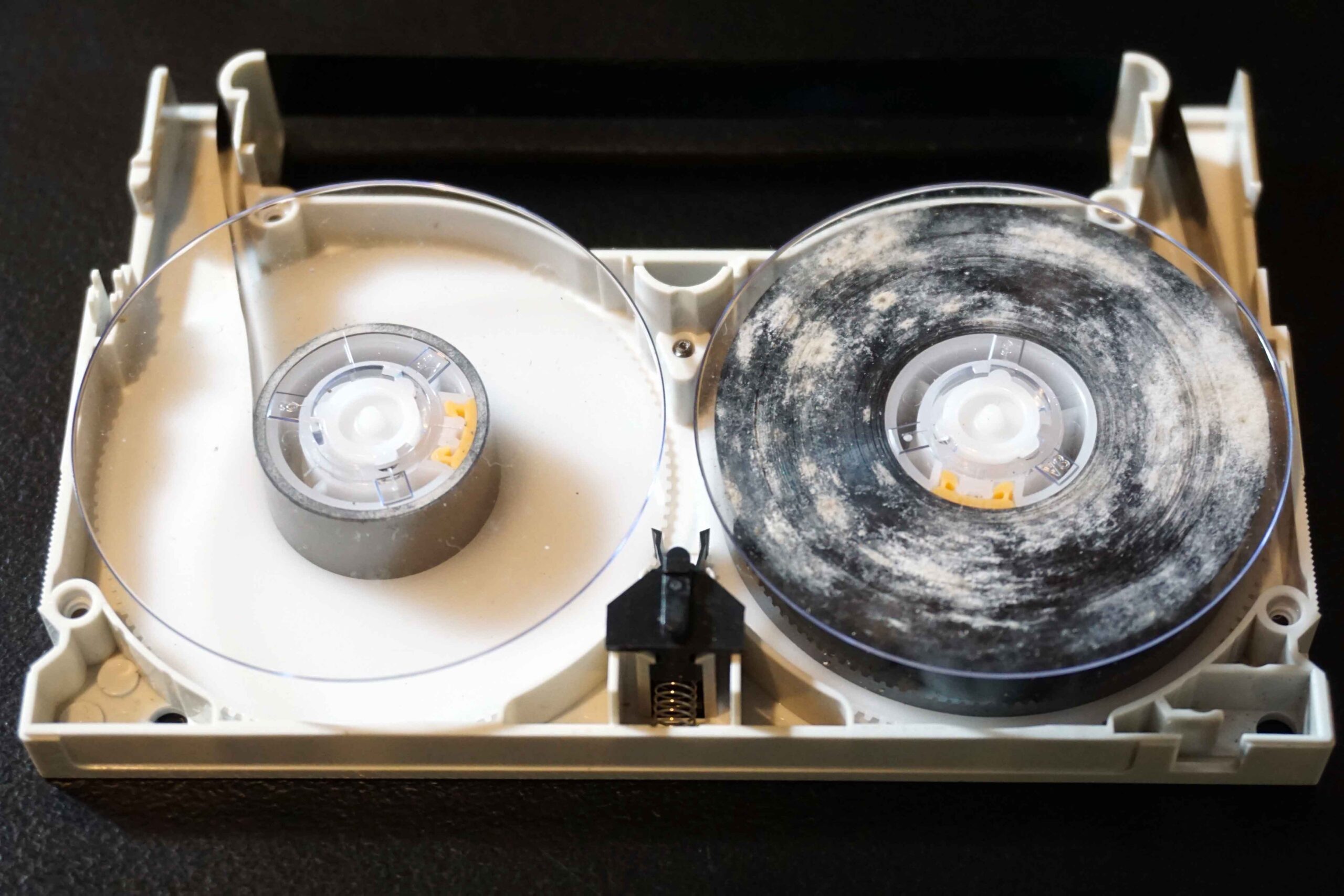
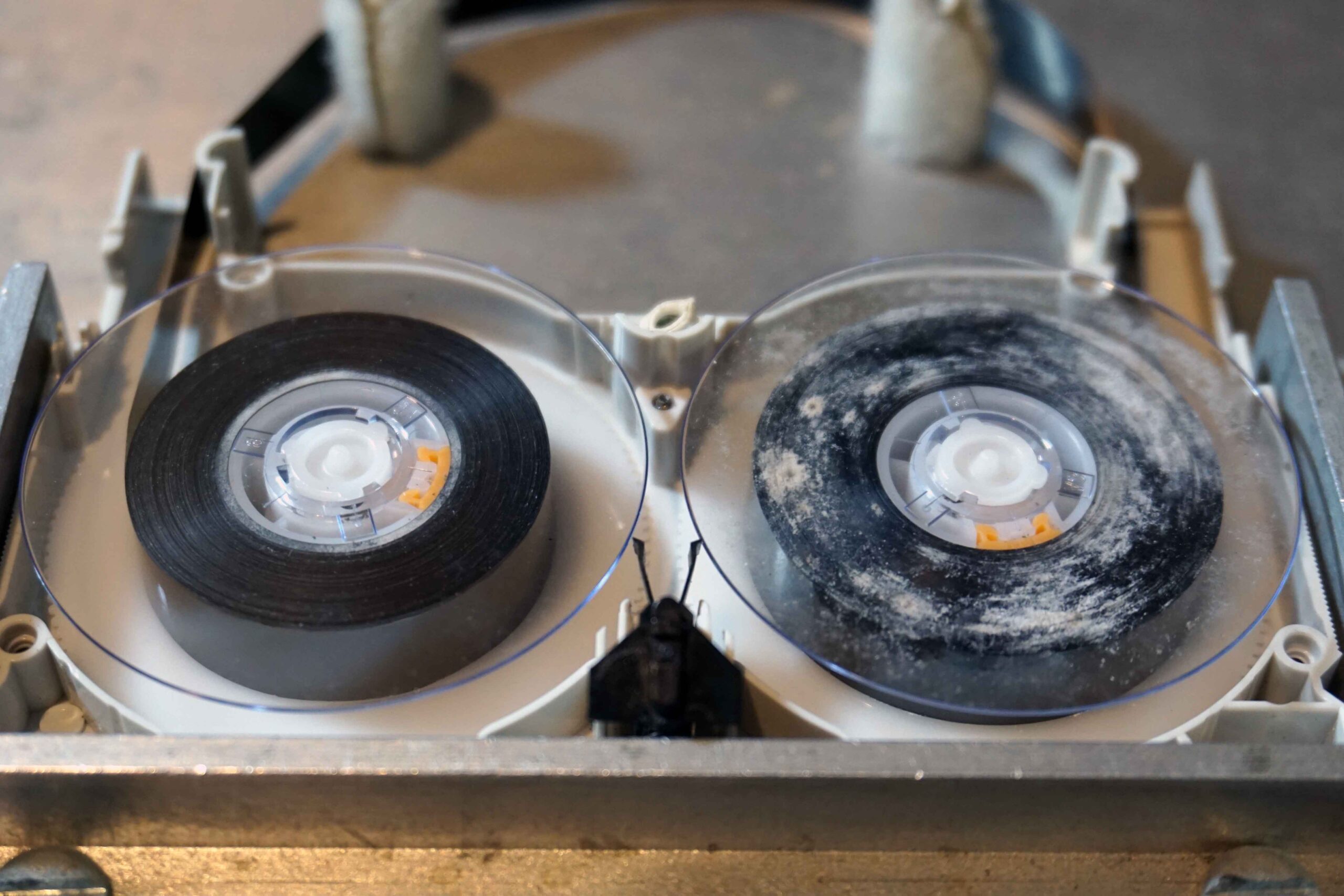
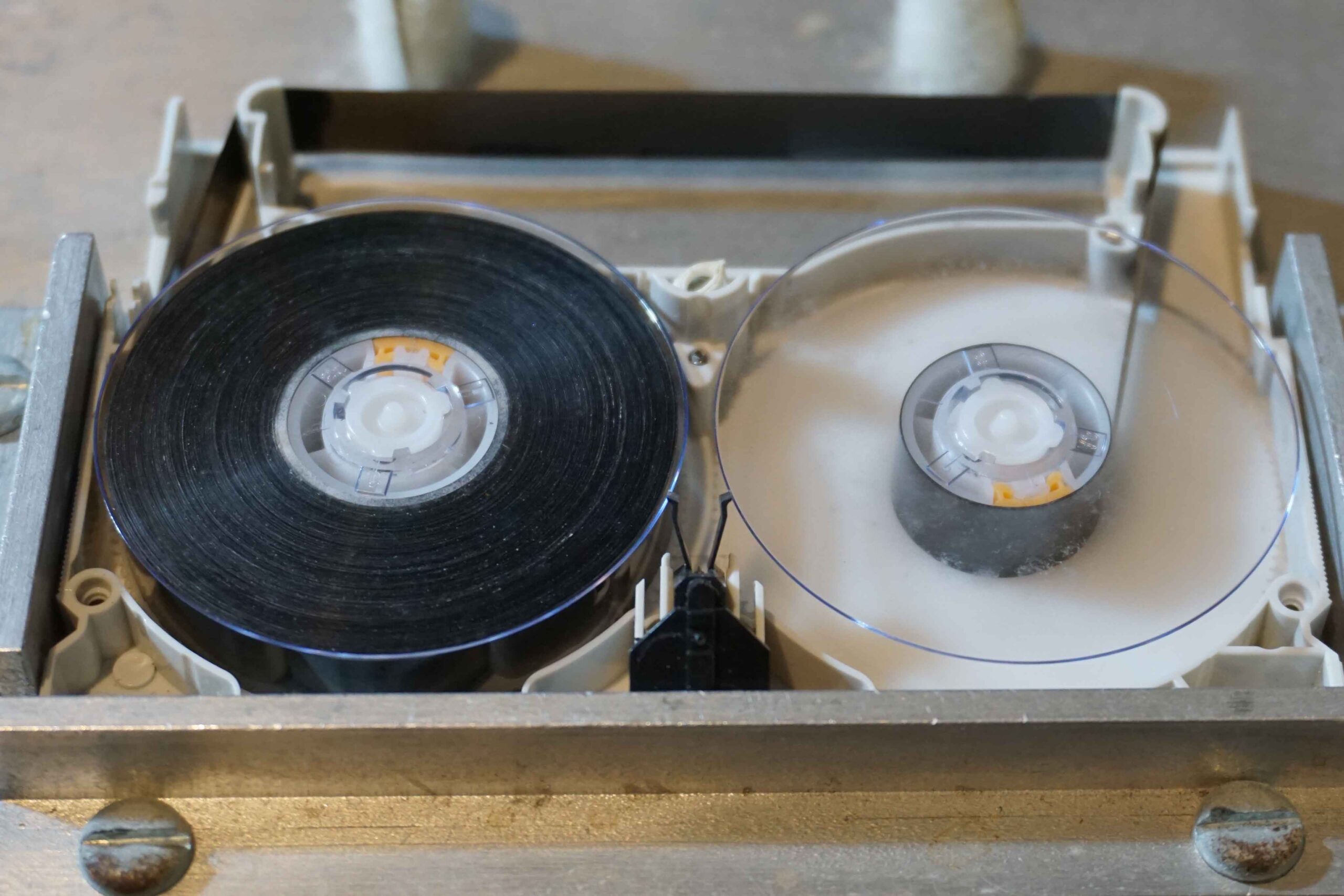
Video 8 tape cleaning and recovery

In most cases a tape like this would go straight to the bin.

Not with us – we successfully recovered every inch of this tape.

This tape was treated using various methods we’ve developed over many years of doing this work.
So how did we do it without giving too much away – we baked the tape for an extended period of time at a constant temperature and humidity level before embarking on the pain staking process of hand cleaning and winding through our custom cleaning jigs.
The result – 100% recovery of all video content from the tape, and yes it was recorded end to end 92 minutes long.
If you have tapes that look like this, chances are they are recoverable despite what you may have been told by others.

DVD Conversions Limited specialize in all video format transfers and offer a cassette clean and recovery service for tapes we are converting.

Video to file transfer

Video conversion to digital file types

In a previous blog we explained the video to DVD process and the pros and cons of DVD. In this blog we will explain the video to Digital file process.

The file type is generally determined by what it will be used for.

For editing and archiving purposes we suggest files that have minimum or no or very low compression ratios, MOV / QuickTime or AVI is generally best suited for SD 720 x 576 video files. These files can get very large, approximately 13GB per hour using the DV codec or 6GB per hour using a high bandwidth MP4 codec

If the files are going to be used primarily for uploading to services such as YouTube, dropbox or other file transfer services then highly compressed files are probably best. There is always a trade off between file size and quality, large files = good quality, small files = lesser quality. MP4 is a good trade off between the two and is compatible with the vast majority of media players and smart devices.

It is best to convert to files that have a low compression ratio (MOV / AVI) or as close to uncompressed as possible. High compression files (MP4) can then be created from the low compression files. Remember that once compressed the files cannot be “uncompressed” without a loss in quality.

DVD conversions Limited uses a variety of domestic and industrial playback decks in conjunction with video and audio processing and calibration equipment to ensure that the quality of the recording is improved. Once captured on our edit systems we render the file type of your choice. Follow this link to go to our video to digital conversion page, or this link for video to DVD conversions. Contact us for any further queries

Contact Us

Format Identification

If you are unsure of what format you have go to this page

Tape format Identification

DVD Conversions LTD also trades as

Digital Mix – Corporate Video Production.

Kodak Express Botany – Photo printing, retail sales, passport and visa photo service.

More Information

  • Prices
  • Film samples
  • Film Supplies
  • Film Equipment Hire Service
  • Customer Remarks
  • Online Film and Video Equipment Museum
  • Call us from your mobile!
  • Contact
  • Data Backup

Copyright © 2026 DVDConversions · Website by Alirat · Log in